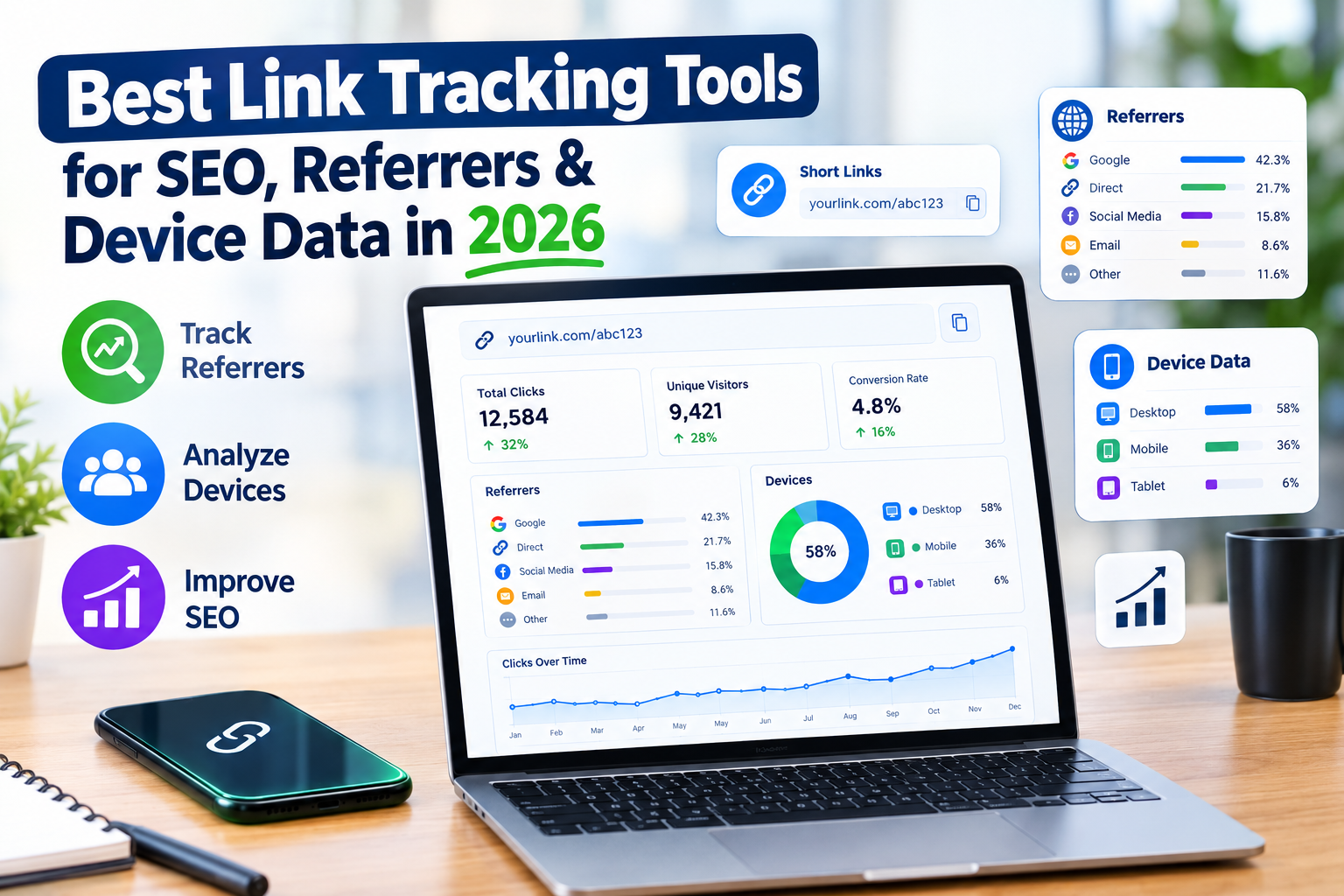
The best link tracking tools are platforms that show more than total clicks. For SEO and digital marketing, useful tools should help you understand the referrer, device type, location, campaign source, landing page, and user behavior associated with link traffic.
Google Analytics 4 is useful for website-level acquisition and device analysis, while dedicated platforms such as Bitly and Rebrandly provide link-level analytics, including referrer and device information.
Why Link Tracking Matters for SEO in 2026
A common mistake is treating every backlink or marketing link as simply a URL.
In reality, a link can tell you much more.
Imagine you publish an article and promote it through LinkedIn, an email newsletter, a guest post, and a community forum. All four channels may send traffic to the same landing page, but the quality and behavior of that traffic can be completely different.
A proper tracking setup helps answer questions such as:
Which website referred the visitor?
Which campaign generated the click?
Are visitors coming from mobile or desktop?
Which links generate the most engagement?
Which promotional channels send qualified visitors?
Are branded links performing better than generic URLs?
Which content placements deserve more attention?
Google Analytics describes traffic-source dimensions as the data used to understand attribution and where visitors come from. Its traffic acquisition reporting includes dimensions such as source, medium, campaign, and channel grouping.
That makes link tracking useful not only for marketing teams but also for professional SEO services, content teams, ecommerce marketers, and agencies managing multiple campaigns.
What Referrer Data Tells You About Your Links
A referrer is the website, platform, or environment that sent a visitor to your destination.
For example, a visitor might arrive after clicking a link from:
Google
Facebook
LinkedIn
YouTube
Another website
An email campaign
A forum
A partner website
This information helps separate traffic sources.
Referrer Data vs UTM Data
These two concepts are related but not identical.
Referrer information can indicate the website or environment that sent the visitor. UTM parameters, on the other hand, are tags added to a URL so analytics platforms can identify marketing source, medium, campaign, and other details.
For example:
example.com/page?utm_source=linkedin&utm_medium=social&utm_campaign=seo-guide
This gives your analytics platform structured campaign information.
For organized SEO marketing services, this distinction matters because referrer data can show where traffic came from, while UTM tagging lets you deliberately label campaigns and placements.
Why Device Data Is Important for SEO
Device tracking tells you whether people are interacting with your links through mobile, desktop, or tablet devices.
Google Analytics 4 automatically provides device-related dimensions such as device category, browser, operating system, device model, and screen resolution.
This becomes particularly useful when your traffic behaves differently across devices.
For example, suppose a campaign produces:
Strong desktop traffic
Weak mobile engagement
High mobile bounce or low conversion rates
That does not automatically mean the campaign is bad.
It could indicate that the landing page, checkout experience, page speed, form design, or mobile UX needs attention.
For ecommerce SEO services, device analysis can be especially useful because product pages often receive traffic from several devices and channels.
Best Link Tracking Tools for SEO in 2026
There is no single tool that fits every SEO workflow. The right choice depends on whether you need simple click tracking, advanced attribution, website analytics, campaign management, or agency-level reporting.
1. Google Analytics 4
Google Analytics 4 is one of the most important tools for understanding website traffic.
Its Traffic Acquisition report provides information about where users and sessions originate, including source, medium, campaign, and channel dimensions.
It also provides device-related reporting, including mobile, desktop, and tablet categories.
Best for
SEO traffic analysis
Organic search reporting
Campaign tracking
Device analysis
Conversion analysis
Ecommerce reporting
Website-wide analytics
For businesses investing in organic SEO services, GA4 should generally be part of the analytics foundation.
2. Bitly
Bitly is widely used for creating and managing short links, but its analytics capabilities also make it useful for campaign tracking.
Bitly Analytics provides reporting around clicks and scans and allows users to analyze information such as location, referrer, device, and date.
This makes it useful when you distribute the same destination through multiple channels.
For example, you could create separate links for:
LinkedIn
Email
YouTube
QR codes
Social campaigns
Partner promotions
Instead of guessing which placement performed better, you can compare the tracking data.
3. Rebrandly
Rebrandly focuses heavily on branded link management and analytics.
Its current analytics documentation includes information such as clicks, geographic data, referrers, devices, browsers, operating systems, languages, and UTM parameters.
That makes it particularly interesting for businesses that want branded links combined with campaign measurement.
For agencies offering white label SEO services, branded tracking links can also make client reporting cleaner and easier to organize.
4. Short Link and URL Tracking Platforms
Other URL shorteners and link management platforms can provide different levels of analytics.
Before choosing one, check whether it provides the specific dimensions you actually need.
A platform may show total clicks but not provide detailed referrer or device segmentation.
That difference becomes important when you are managing multiple campaigns.
Link Tracking Tools vs Google Analytics
The biggest structural difference is simple:
Dedicated link tracking tools focus on the link itself, while Google Analytics focuses on what happens on your website or app after visitors arrive.
That distinction is more important than comparing individual features.
Feature | Link Tracking Platform | Google Analytics 4 |
Link-level clicks | Strong | Available through website events/traffic |
Referrer analysis | Strong | Strong |
UTM campaigns | Yes | Yes |
Device reporting | Often available | Yes |
Website behavior | Limited | Strong |
Conversion analysis | Depends on platform | Strong |
Ecommerce reporting | Limited/varies | Strong |
Campaign attribution | Link-focused | Website/session-focused |
SEO traffic analysis | Limited | Strong |
Branded short links | Often available | No |
QR code tracking | Many platforms | Requires setup |
The two approaches are therefore complementary rather than interchangeable.
What Makes a Good SEO Link Tracking Tool?
When evaluating a platform, I would focus on four things rather than choosing based purely on the number of features.
Accurate Click Data
First, you need reliable click reporting.
A tracking platform should make it easy to identify how many clicks a particular link generated and how performance changes over time.
Referrer Visibility
Referrer information helps identify where your visitors originated.
This is particularly useful when you promote content across multiple websites, social platforms, communities, and partner channels.
Device and Location Reporting
Device information gives you another layer of audience context.
If a campaign attracts mostly mobile users, your landing page should be reviewed with a mobile-first mindset.
Location reporting can also help businesses running local SEO services or location-specific campaigns.
UTM Support
UTM parameters give campaigns a consistent naming system.
A simple structure such as:
utm_source
utm_medium
utm_campaign
can make reporting considerably easier.
For example:
utm_source=linkedin
utm_medium=social
utm_campaign=seo-guide
The important thing is consistency. Random naming conventions create messy reports that become difficult to analyze later.
How to Set Up Link Tracking for an SEO Campaign
You do not need a complicated analytics stack to get started.
Step 1: Define the Goal
Start by deciding what you want to measure.
Are you tracking:
Organic traffic?
Guest-post traffic?
Social promotion?
Affiliate traffic?
Email campaigns?
Product campaigns?
Lead generation?
Ecommerce sales?
The goal determines what tracking information matters.
Step 2: Create a Naming Convention
Decide how your UTM parameters will be named before launching campaigns.
For example:
source = linkedin
medium = social
campaign = seo-services-2026
Do not randomly switch between names such as LinkedIn, linkedin, LinkedIn.com, and LI.
Consistency makes reporting much easier.
Step 3: Create Trackable Links
Use your chosen link management platform to create dedicated links where appropriate.
If the same destination is promoted in five places, separate tracking links can make the performance of each placement easier to understand.
Step 4: Connect Website Analytics
Send the campaign traffic to your website and make sure GA4 or another analytics platform is properly configured.
This allows you to connect the initial click with what happens after the visitor reaches your site.
Step 5: Analyze Device and Referrer Patterns
Look beyond total clicks.
Check:
Referrer
Device
Location
Landing page
Campaign
Engagement
Conversions
A link with fewer clicks can sometimes be more valuable if it generates better business outcomes.
Step 6: Optimize the Campaign
Use the data to decide what deserves more attention.
If one content placement consistently sends relevant traffic, investigate why.
If another generates clicks but little engagement, review the audience, message, landing page, and targeting.
This is where tracking becomes an SEO decision-making tool instead of just another dashboard.
How Link Tracking Supports Different SEO Services
Link tracking is not limited to large enterprise campaigns.
It can support almost every modern SEO workflow.
Professional SEO Services
Professional SEO teams can use tracking data to understand referral traffic and campaign performance alongside organic search data.
Affordable SEO Services
Smaller businesses can use simple tracking systems to measure whether their limited marketing resources are generating useful traffic.
Small Business SEO Services
Local businesses can track links from directories, partnerships, social profiles, local campaigns, and promotional materials.
Ecommerce SEO Services
Online stores can track campaigns promoting product categories, collections, product pages, seasonal offers, and buying guides.
Shopify SEO Services
Shopify businesses can combine link tracking with analytics to understand which promotional channels send visitors to product and collection pages.
WordPress SEO Services
WordPress websites can use UTM-tagged campaigns and analytics reporting to measure content promotion and referral traffic.
B2B SEO Services
B2B companies often have longer buying journeys, making source and campaign tracking especially useful for understanding which channels contribute to qualified visits and leads.
International SEO Services
International businesses can use geographic reporting to understand where link traffic originates and whether campaigns are reaching their intended markets.
Link Tracking Mistakes That Can Destroy Your Data
The biggest tracking problems are usually not technical.
They are organizational.
Using Different UTM Names
If one campaign uses utm_medium=social and another uses utm_medium=social-media, your reports become fragmented.
Tracking Everything With One Link
Using one generic URL everywhere makes it harder to identify which placement generated the click.
Ignoring Mobile Users
A campaign can look successful at the traffic level while delivering a poor mobile experience.
Always compare device performance.
Focusing Only on Clicks
Clicks are useful, but they are not the final business objective.
For SEO, you should also look at engagement, leads, conversions, revenue, rankings, and organic visibility depending on the campaign.
Forgetting the Landing Page
The link might be working perfectly while the landing page is the actual problem.
Always connect link data with on-site behavior.
Can Link Tracking Affect SEO?
A tracking parameter itself is primarily an analytics mechanism. It does not automatically make a page rank higher.
The SEO value comes from the insights you gain.
For example, tracking can help you understand which promotional channels bring relevant users, which content earns attention, and which campaigns support business goals.
For seo content services and SEO copywriting services, this can help teams understand which content promotion methods are actually generating useful traffic.
The important distinction is between measuring marketing performance and directly influencing search rankings.
When Should You Use a Dedicated Link Tracker?
A dedicated link tracking platform becomes more useful when you have multiple campaigns, multiple distribution channels, branded links, QR codes, or a need for link-level reporting.
If you only need website-wide traffic and conversion analysis, GA4 may already provide much of what you need.
If you need to answer a question such as, “Which exact link did this visitor click?” a dedicated link analytics platform can provide a more direct answer.
For agencies offering monthly SEO services, combining both approaches can create a more complete reporting system.
rvices and white label SEO services where consistent reporting is important.
Final Thoughts
The best link tracking setup in 2026 is not necessarily the tool with the longest feature list. It is the setup that gives you clear answers about where your traffic came from, which links generated it, what devices people used, and what happened after the click.
For most businesses, a combination of Google Analytics 4 plus a dedicated link tracking platform provides a strong foundation.
Whether you are running affordable SEO services, ecommerce SEO services, Shopify SEO services, B2B SEO services, international SEO services, or monthly SEO services, the same principle applies: do not collect data just because you can. Track the information that helps you make better marketing and SEO decisions.
If you are building an SEO campaign, start with a simple tracking structure, document your UTM naming convention, create separate links for important placements, and review the data regularly.
Good SEO is not only about getting traffic.
It is about understanding where that traffic comes from and what it does next.
Frequently Asked Questions
What is the best tool for tracking link clicks?
Google Analytics 4 is useful for website traffic and acquisition analysis, while dedicated platforms such as Bitly and Rebrandly provide link-level click tracking and additional referral or device insights.
Can I track what device clicked my link?
Yes. Several link analytics platforms provide device reporting, and Google Analytics 4 provides device categories such as desktop, mobile, and tablet.
What is referrer tracking?
Referrer tracking identifies the website, platform, or environment that sent a visitor to your destination. It helps marketers understand where link traffic originated.
Are UTM parameters useful for SEO?
UTM parameters are primarily used for campaign measurement and attribution, not as a direct ranking factor. They help analytics platforms identify the source, medium, and campaign associated with traffic.
Should I use Bitly or Google Analytics?
They serve different purposes. Bitly can provide link-level analytics, while Google Analytics provides broader website acquisition, behavior, and conversion analysis.
Can link tracking help ecommerce SEO?
Yes. Ecommerce SEO services can use link tracking to understand which campaigns and placements send traffic to product pages, collections, and promotional landing pages.
Is link tracking useful for small businesses?
Yes. SEO services for small businesses can use simple campaign links to measure traffic from social media, directories, email campaigns, partnerships, and local promotions without building an overly complicated analytics system.
Can SEO agencies use link tracking for clients?
Yes. Agencies can use link tracking alongside Search Console, analytics, rank tracking, and reporting platforms to give clients a clearer picture of campaign traffic and referral performance. This can also support SEO reseller se
Get a free audit and see exactly how this applies to your site.