
If your website loads slowly, shifts around while someone's trying to click something, or feels sluggish to respond, you're not just frustrating visitors you're working against a specific, measurable set of signals Google uses to evaluate page experience. Those signals are called Core Web Vitals, and understanding them is one of the more practical, technical steps a business can take to genuinely improve both user experience and search visibility at the same time.
What Are Core Web Vitals?
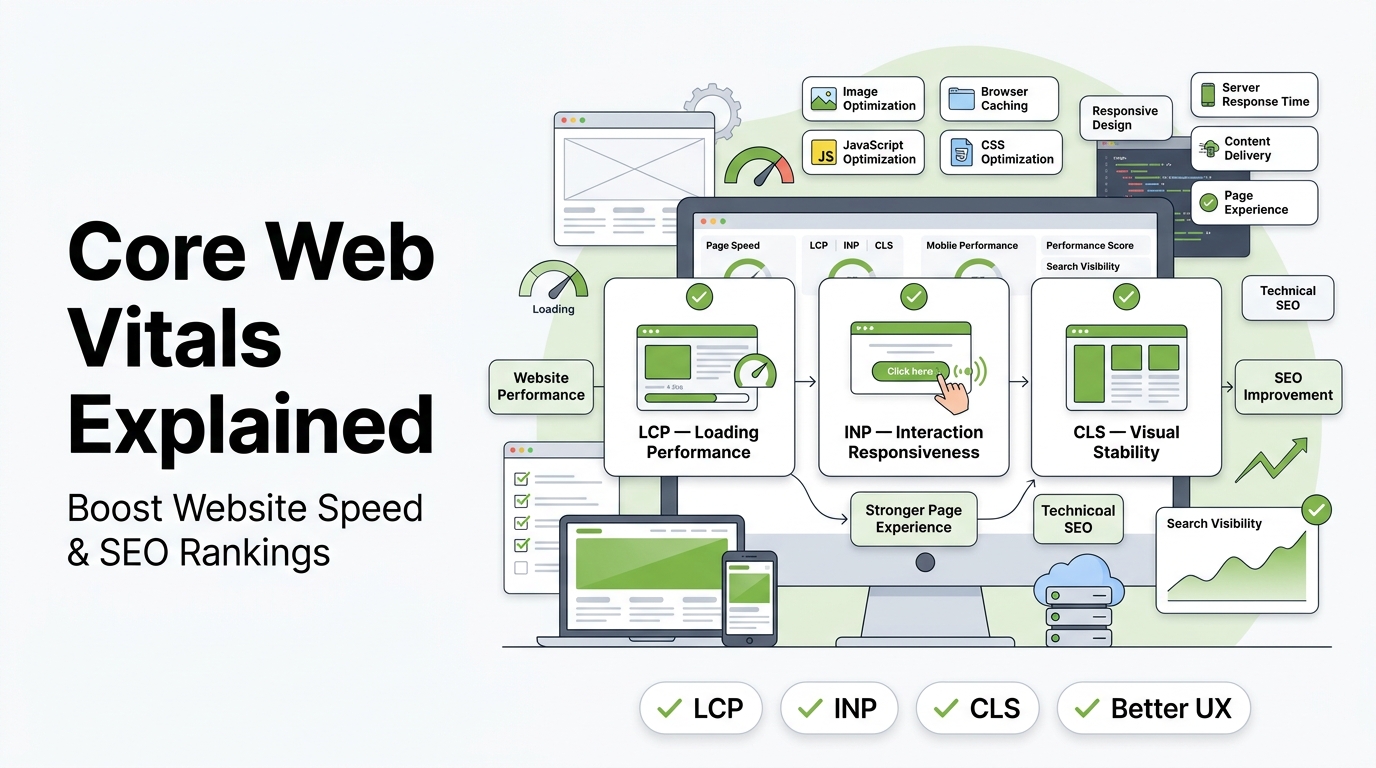
Core Web Vitals are a specific set of metrics Google uses to measure real-world page experience, focused on three things that directly affect how a page feels to use: how quickly the main content loads, how responsive the page is to interaction, and how visually stable it stays while loading. They're part of Google's broader page experience signals, alongside factors like mobile-friendliness and secure connections.
The three current Core Web Vitals metrics are:
Largest Contentful Paint (LCP)
LCP measures how long it takes for the largest visible element on a page usually a hero image, a large block of text, or a featured video thumbnail to fully render. This is meant to approximate when a visitor perceives the page as having actually "loaded," rather than measuring technical load completion that doesn't reflect real user experience. Google generally considers an LCP under 2.5 seconds good.
Interaction to Next Paint (INP)
INP measures how responsive a page is throughout a visitor's entire interaction with it tracking the delay between a click, tap, or keypress and the page visibly responding. INP replaced the older First Input Delay (FID) metric, since it captures responsiveness across the full visit rather than just the first interaction. Google generally considers an INP under 200 milliseconds good.
Cumulative Layout Shift (CLS)
CLS measures visual stability specifically, how much visible content unexpectedly shifts position while a page is loading. This is the metric behind that frustrating experience of trying to tap a button just as an ad loads and pushes everything down, causing a mis-click. Google generally considers a CLS score under 0.1 good.
Why Core Web Vitals Matter for SEO
Google has confirmed that page experience signals, including Core Web Vitals, are one of many factors considered in search ranking not the dominant factor, but a genuine one, particularly relevant when comparing pages of otherwise similar content quality and relevance.
Beyond the direct ranking signal, Core Web Vitals affect SEO indirectly through user behavior:
Higher bounce rates on slow pages. Visitors are measurably more likely to abandon a page that loads slowly, which can negatively affect the engagement signals search engines also weigh.
Lower conversion rates. Page speed has a well-documented relationship with conversion rates across ecommerce and lead-generation sites alike even small improvements in load time can produce measurable gains in completed purchases or form submissions.
Mobile experience compounds the effect. Given that a majority of search traffic now comes from mobile devices, and mobile connections are often slower and less consistent than desktop, Core Web Vitals issues tend to disproportionately affect the largest share of your traffic.
AI search visibility increasingly depends on the same fundamentals. As AI-driven search experiences become more common, the same technical foundation fast, crawlable, well-structured pages supports both traditional rankings and AI citation, making Core Web Vitals relevant well beyond a single ranking factor.
How to Check Your Core Web Vitals Scores
Google Ranking Factors 2026 Before fixing anything, you need an accurate read on where your site currently stands.
Google PageSpeed Insights provides both real-world field data (based on actual visitor experiences via the Chrome User Experience Report) and lab data (a simulated test), giving you both a real-world baseline and a controlled diagnostic view.
Google Search Console's Core Web Vitals report shows how your indexed pages perform in aggregate, grouped by good, needs improvement, and poor categories useful for spotting patterns across your site rather than checking pages one at a time.
Chrome DevTools' Lighthouse panel offers a detailed, page-level technical breakdown, useful once you've identified a specific page that needs attention and want to diagnose exactly what's causing a poor score.
Running all three regularly gives a more complete picture than relying on a single tool, since field data and lab data can sometimes tell slightly different stories depending on real-world network and device conditions versus a controlled test environment.
Practical Ways to Improve Each Core Web Vital
Improving LCP
Optimize and compress images, particularly your largest above-the-fold visual element, since oversized images are one of the most common LCP culprits.
Use a content delivery network (CDN) to serve assets from servers geographically closer to your visitors, reducing load latency.
Reduce server response time, since a slow initial server response delays everything that follows, including your largest content element.
Preload critical resources, giving the browser an early hint about which assets matter most for the initial render.
Improving INP
Minimize and defer non-essential JavaScript, since heavy scripts running during page load are a common cause of delayed responsiveness.
Break up long-running tasks into smaller chunks so the browser can respond to user input between them, rather than being fully occupied by one large script.
Audit third-party scripts ad networks, chat widgets, and analytics tools can meaningfully hurt responsiveness, and auditing which ones are genuinely necessary is often an underrated fix.
Improving CLS
Set explicit width and height attributes on images and video so the browser reserves the correct space before the asset fully loads, preventing surrounding content from shifting.
Avoid inserting dynamic content above existing content without reserved space a common cause being ads or promotional banners that load in after the surrounding page has already rendered.
Preload custom fonts to avoid the visible layout shift that happens when text initially renders in a fallback font and then jumps as the custom font loads in.
Common Mistakes That Hurt Core Web Vitals
Treating Core Web Vitals as a one-time fix rather than ongoing maintenance. New plugins, added scripts, or content updates can quietly reintroduce issues that were previously resolved.
Fixing lab data scores without checking real-world field data. A page can score well in a controlled Lighthouse test while still performing poorly for real visitors on slower networks or older devices.
Over-optimizing one metric at the expense of another. Aggressively deferring all JavaScript to improve LCP, for instance, can sometimes hurt INP if it's not done carefully.
Ignoring mobile-specific performance. Desktop and mobile Core Web Vitals scores can differ significantly, and mobile performance deserves independent attention given its share of overall traffic.
Core Web Vitals in the Context of a Broader SEO Strategy
Core Web Vitals are a genuinely important piece of technical SEO, but they work best as part of a coordinated strategy rather than an isolated project. This is where working with experienced seo marketing services can help, particularly for businesses without dedicated in-house development resources to handle ongoing performance monitoring.
Organic seo services providers should treat Core Web Vitals monitoring as a standard part of ongoing technical maintenance, not a one-time audit item. For platform-specific sites, this work looks different depending on your setup: shopify seo services need to account for app-related script bloat, a common and often underestimated cause of poor INP and LCP scores on ecommerce stores, while wordpress seo services should address plugin conflicts and theme bloat, which are similarly common culprits on that platform.
Small business seo services and How Does UX Affect SEO should prioritize the highest-impact, lowest-effort fixes first image optimization and reducing unnecessary third-party scripts typically deliver meaningful improvement without requiring a full site rebuild. B2B seo services and international seo services need to account for Core Web Vitals performance across every regional or localized version of a site, since performance can vary significantly by server location and regional network conditions.
Dental seo services and other local, appointment-based practices benefit from strong Core Web Vitals scores particularly on mobile, given how often patients search for local providers from a phone while on the go. This connects directly to broader local seo services near me considerations a slow-loading local business page undermines the value of otherwise strong local SEO fundamentals. When evaluating local seo service company options or best local seo services providers, ask specifically whether Core Web Vitals monitoring is included as part of their technical process.
For businesses comparing local seo services pricing, understand whether ongoing performance monitoring is included in a monthly seo services retainer or treated as a separate, one-time service performance can degrade gradually as a site grows, making ongoing monitoring more valuable than a single fix. Affordable local seo services don't have to skip this work either; targeted fixes to the highest-impact issues can meaningfully improve scores without requiring an expensive, comprehensive rebuild.
Agencies offering white label seo services or white label local seo services to their own clients should be comfortable explaining Core Web Vitals clearly to end clients, since page experience increasingly comes up in client conversations as search engines continue emphasizing it. And since a large part of what actually creates good Core Web Vitals scores is disciplined implementation properly sized images, efficient code, minimal unnecessary scripts seo content writing services and seo copywriting services teams should coordinate closely with technical teams, since content-heavy pages with unoptimized images are a frequent, avoidable source of poor scores.
Final Thoughts
SEO Audit Services USA translate a genuinely important idea that page experience matters into specific, measurable metrics you can actually track and improve. Fixing LCP, INP, and CLS issues isn't just a technical SEO checkbox; it's a direct investment in whether visitors stay, engage, and convert once they land on your site. Treat it as ongoing maintenance rather than a one-time fix, and the compounding benefit shows up in both your rankings and your actual business results.
Frequently Asked Questions
Are Core Web Vitals a major Google ranking factor?
They're one of several page experience signals Google considers, but not the dominant factor content relevance and quality typically matter more. Core Web Vitals tend to matter most as a tiebreaker between otherwise similarly relevant pages.
How often should I check my Core Web Vitals scores?
Regularly monthly at minimum, and after any significant site changes like a new plugin, theme update, or major content addition, since these can quietly reintroduce performance issues.
What's a good overall Core Web Vitals score to aim for?
Aim for LCP under 2.5 seconds, INP under 200 milliseconds, and CLS under 0.1 across the majority of your pages, based on real-world field data rather than lab data alone.
Can I improve Core Web Vitals without a developer?
Some fixes, like image compression and basic plugin cleanup, are accessible without deep technical expertise. More involved fixes script optimization, server response time improvements typically benefit from developer or technical SEO involvement.
Do Core Web Vitals matter for mobile and desktop separately?
Yes. Scores can differ meaningfully between mobile and desktop, and given mobile's significant share of search traffic, mobile performance deserves independent attention rather than assuming a good desktop score reflects the mobile experience.
Top Google Ranking Factors to Improve Search Ranking in 2026 |
Get a free audit and see exactly how this applies to your site.